
支持 Win Mac Linux所有系统 附带详细安装教程 …………..
插件名称:Airwindows Consolidated
插件大小:30/45/30 MB
插件类型:所有插件套装
插件版本:Win:v2025-12-7 ——————— Mac:v2025-12-7 ——— Linux:v2025-12-7
支持格式:Win:VST3 CLAP LV2 ————- Mac:VST3 AU CLAP LV2
支持系统:Win:7/10/11+以上 —— Mac:10.12+以上(支持Intel和ARM)
支持宿主:Logic – Cubase – FL Studio – Live – Studio One – Reaper – DP
加载方式:附带(Win Mac Linux)详细安装教程
发货方式:百度网盘下载
完整的 Airwindows 插件合集——近 400 个 Airwindows 插件。
Airwindows插件全集包括:
环境音效 Ambience:
TapeDelay2, Doublelay, PitchDelay, SampleDelay, BrightAmbience3, TripleSpread, Melt, MV2, MV, ADT, kChamberAR, StereoChorus, PurestEcho, TapeDelay, StarChild2, StarChild, Hombre, BrightAmbience2, BrightAmbience, StereoEnsemble, StereoDoubler, Chorus, ChorusEnsemble, Ensemble.
放大器模拟 Amp Sims:
GrindAmp, FireAmp, LeadAmp, CrickBass, LilAmp, MidAmp, BigAmp, Cabs, BassDrive, BassAmp.
贝斯 Bass:
OrbitKick, Hermepass, BassKit, DubCenter, DubSub, Floor, Infrasonic, FathomFive
双四边形滤波器 Biquads:
BiquadPlus, Biquad, BiquadDouble, BiquadOneHalf, BiquadTriple, Biquad2.
亮度 Brightness:
PlatinumSlew, DeBess, GoldenSlew, SlewSonic, Acceleration2, DeEss, Smooth, EverySlew, Slew3, Slew2, Slew, Air2, Air, PurestAir, Acceleration, DeHiss, Hypersonic, HypersonX, Ultrasonic, UltrasonicLite, UltrasonicMed, UltrasonX
削波 Clipping:
ClipOnly2, ClipSoftly, OneCornerClip, ADClip7, AQuickVoiceClip, ClipOnly.
控制台 Consoles:
Console8LiteChannel, Console8LiteBuss, Console8BussHype, Console8BussIn, Console8BussOut, Console8ChannelHype, Console8ChannelIn, Console8ChannelOut, Console8SubHype, Console8SubIn, Console8SubOut, Console0Channel, Console0Buss, PurestConsole3Buss, PurestConsole3Channel, PurestConsole2Buss, PurestConsole2Channel, Console7Buss, Console7Channel, Console7Cascade, Console7Crunch, PurestConsoleBuss, PurestConsoleChannel, Console6Buss, Console6Channel, PDBuss, PDChannel, Console5Buss, Console5Channel, Console5DarkCh, C5RawBuss, C5RawChannel, AtmosphereBuss, AtmosphereChannel, Console4Buss, Console4Channel, EveryConsole.
失真效果 Distortion:
Distortion, Edge, Dirt, Mackity, Density2, Density, Drive, Loud, Hard Vacuum, HighImpact, MultiBandDistortion.
抖动效果 Dithers:
zTapeDither, SpatializeDither, VinylDither, DoublePaul, Ditherbox, BuildATPDF, NodeDither, StudioTan, DitherMeTimbers, DitherMeDiskers, RawTimbers, RawGlitters, NaturalizeDither, HighGlossDither, DitherFloat.
动态效果器 Dynamics:
Pop2, Pressure5, Dynamics, Pop, DigitalBlack, Logical4, VariMu, ButterComp2, curve, Recurve, Pyewacket, BlockParty, SoftGate, Thunder, Compresaturator, DrumSlam, ButterComp, BrassRider, Point, Gatelope, PodcastDeluxe, Podcast, Swell, PurestSquish, Pressure4, Surge, SurgeTide.
效果器 Effects:
GalacticVibe, Fracture2, Dubly, Pafnuty2, PitchNasty, GuitarConditioner, Aura, TremoSquare, Tremolo, GlitchShifter, Gringer, Exciter, Energy2, Energy, Facet, Fracture, PowerSag2, PowerSag, Preponderant, Nikola.
滤波器 Filter:
Baxandall2, Capacitor2, Pear, ResEQ2, SubTight, CStrip2, Weight, Isolator2, Holt2, Holt, ToneSlant, AverMatrix, Average, MackEQ, Baxandall, Hull, EQ, Capacitor, Isolator, TapeFat, ResEQ, Lowpass2, Highpass2, Distance2, Distance, Lowpass, Highpass.
低保真 Lo-Fi:
Pockey2, Flutter, CrunchyGrooveWear, GrooveWear, Pockey, DeRez2, BitGlitter, DeRez, ChromeOxide, Cojones, Vibrato, Bite, Deckwrecka, DustBunny
噪声 Noise:
Noise, Texturize, TexturizeMS, VoiceOfTheStarship, DarkNoise, ElectroHat, Silhouette, TapeDust.
混响 Reverb:
kPlateD, kPlateB, kPlateA, kPlateC, Verbity2, Galactic2, Galactic, Verbity, Chamber2, Chamber, Infinity2, NonlinearSpace, Infinity, MatrixVerb, PocketVerbs, Reverb.
饱和度 Saturation:
Creature, Huge, NCSeventeen, Tube2, Tube, Spiral2, PurestDrive, Focus, Mojo, Dyno, Spiral, UnBox, Desk4, Righteous4 Stereo: Srsly, Srsly2, Wider, StereoFX, ToVinyl4, AutoPan, LRFlipTimer, Sidepass, SideDull.
微妙之处 Subtlety:
Hype, Shape, Inflamer, Sweeten, PurestWarm2, PurestWarm, Coils2, Interstage, PhaseNudge, Remap, SingleEndedTriode, Coils, Desk, TransDesk, TubeDesk.
磁带 Tape:
ToTape6, FromTape, Tape, IronOxideClassic2, IronOxide5, ToTape5, IronOxideClassic
音色 Tone Color:
BussColors4, Channel9, Apicolypse, Neverland, Elation, Calibre, Cider, Crystal, Precious, Luxor, Channel8, Channel7, Channel6, Channel5, Channel4.
实用工具 Utility:
Monitoring3, Monitoring2, Monitoring, BitShiftPan, BitShiftGain, PurestGain, PurestFade, EveryTrim, HermeTrim, SlewOnly, SubsOnly, PeaksOnly, Golem, DCVoltage, EdIsDim, MidSide, uLawEncode, uLawDecode, RightoMono, LeftoMono, Balanced, Flipity, MoNoam, VoiceTrick.
XYZ滤波器 XYZ Filters:
ZBandpass2, ZHighpass2, ZLowpass2, ZNotch2, ZRegion2, ZBandpass, ZHighpass, ZLowpass, ZNotch, ZRegion, YBandpass, YHighpass, YLowpass, YNotch, XBandpass. XHighpass, XLowpass, XNotch, XRegion.
2025 年 1 月新增插件:
– kGuitarHall(增强响亮的中频噪音!)
– Mastering(母带处理采用 Airwindows 风格,功能强大,无所不能!)
– BiquadHiLo(ConsoleX 中的高通和低通滤波器)
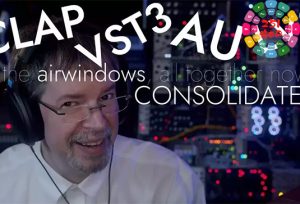
![图片[1]-近400个插件套装 Airwindows Consolidated v2025-12-7-251编曲网](https://www.251bianqu.com/wp-content/uploads/2026/05/Airwindows-Consolidated.jpg)
多年来,我构建了一个 DSP 效果器库,采用精简且复古的格式,与传统的插件相比,它轻巧高效。然而,近 400 个插件各自拥有不同的名称(或类似 Channel6、Channel7、Console8、Console9 等的迭代版本),并且仍然使用 VST2 等旧格式,这着实令人头疼。多年来,我一直坚持认为 Steinberg 可能会剥夺我发布 VST2 插件的合法权利,而我致力于支持所有可能的平台,因此不愿冒这个险。Airwindows Consolidated 一举解决了所有这些问题。它已成为许多用户使用 Airwindows 插件生态系统的唯一途径,并且未来所有新插件(至少是那些本身并非颠覆性创新的新插件,稍后会详细介绍)都将完全支持这种格式。您将获得什么?Airwindows Consolidated 是 CLAP 原生插件,拥有该格式的所有特有功能(如手册所示,可在 Bitwig 中作为 CLAP 插件运行!)。我们很多人都认为这是未来的发展方向。现在它拥有 Airwindows 的所有原生功能,并且会持续添加新的插件。Airwindows Consolidated 也是 VST3 原生插件,因此也适用于 Cubase 用户以及其他因各种原因无法使用 VST2 的用户。它也适合那些无法接受“只有滑块”的极简界面的用户:它配备了旋钮!(Rack 版本配备了旋钮、接口和衰减器,因为它是一个 Rack 模块!)。它还支持 AU 和 LV2 格式。支持多种原生格式!此外,它还支持主题:它会读取系统设置的深色或浅色模式,并且您可以根据需要进行自定义设置。如果您不喜欢亮灰色矩形,那就再也不用忍受了。一举之间,许多已知问题迎刃而解。你可以在文本框中输入数值(说真的,我自己在 Reaper 里用 VST2 插件都做不到,只有 AU 插件才能做到)。不仅如此,Airwindows Consolidated 还支持屏幕阅读器。我问你,为什么视障音乐人就不能创作音频音乐呢?Airwindows Consolidated 可以与屏幕阅读器配合使用,正确朗读所有文本。那么,这“所有文本”到底是什么?这能有多难?Airwindows Consolidated 包含了完整的 Airwindopedia。每个插件都会在侧边栏显示 Chris 在发布时提供的完整说明。这相当于近十五万字,全部内置!而且,你肯定不会为了入门就去读十五万字……
Airwindows Consolidated 包含一个完整的菜单系统,默认设置为“推荐”。这基本上展示了 Airwindows 的经典插件,也就是你首先应该查看的那些。这个列表比较精简,而且并不总是系列中最新的插件。例如,Galactic2 比推荐列表中的初代 Galactic 更专业。此外还有“基础”选项,其中包含一组易于理解和使用的插件,适合混音和音乐制作新手;以及“最新”选项,其中包含最新的插件。当你准备好之后,还可以选择“所有插件”选项,它会打开所有插件的菜单。(如果你保存了一个混音,然后更改了菜单设置,即使新的菜单设置中没有列出你的插件,也不会导致它消失:你不用担心。)
这就是你需要的全部内容。它可能是你唯一下载的 Airwindows 插件,因为每次有新的 Airwindows 插件发布时,它都会有新的版本更新。只需重新下载并重新安装即可。它自带安装程序,方便您轻松完成操作。而且这是一个开源项目,由微软托管,费用由微软承担,并非我和保罗承担。下载对我们来说是免费的,所以不妨一试。
那么,这要感谢谁呢?当然要感谢近 400 个 Airwindows 插件。如果没有这些插件,Airwindows Consolidated 也不会存在。但即使作为一名开源开发者,我也无法独自完成这项工作。因此,我要感谢 Surge XT 合成器项目的 Baconpaul 的卓越贡献,他也促成了我的 VCV Rack 模块的诞生(它本质上与此相同:应该拥有所有相同的功能,并且每周都会添加新的插件)。整个 Surge XT 项目都值得您的关注和支持,而且参与其中的人员远不止 Paul 一人:例如,EvilDragon 对菜单系统贡献良多,积极参与了分类的开发,并且应他的要求,整个 Airwindows 网站现在都使用这些分类来帮助用户查找内容。Airwindows
Consolidated 已经发布,它将成为我下载插件的首选方式。这意义重大。希望您喜欢它给整个 Airwindows 世界带来的便利 🙂
首页
https://www.airwindows.com/consolidated/










暂无评论内容